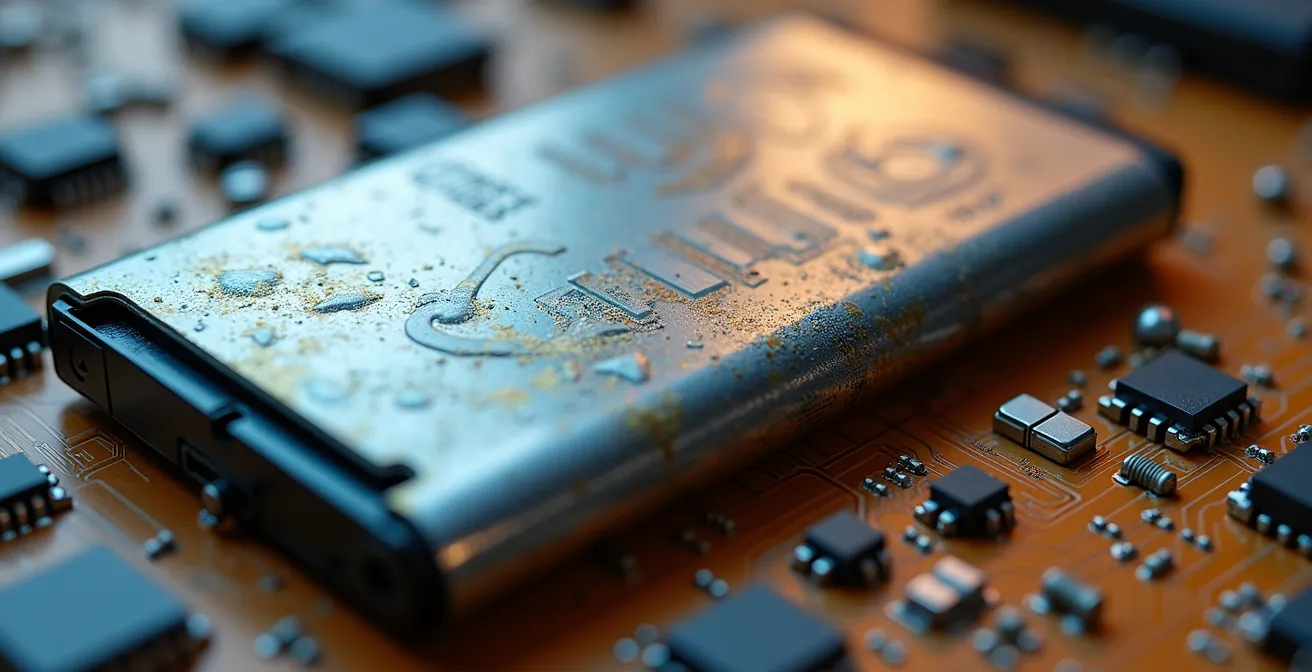
Your phone’s two-year slowdown is not caused by overnight charging, but by a combination of thermal stress, software bloat, and misunderstood hardware limits.
- Battery degradation is primarily driven by heat and high-voltage stress, not charging duration. Modern systems manage this automatically.
- Performance decline is often linked to cluttered storage and inefficient cache, which you can clear without deleting personal files.
Recommendation: Shift your focus from charging myths to actively managing your device’s thermal environment, storage hygiene, and physical protection to significantly extend its useful lifespan.
It’s a story every smartphone user knows. Your device works flawlessly for about 18 months, but as the two-year mark approaches, it’s as if a switch is flipped. The battery barely lasts until lunch, apps lag, and you find yourself staring at new phone releases. This frustrating cycle, often blamed on “planned obsolescence,” feels inevitable. The common advice is a collection of well-meaning but often outdated rules: don’t charge your phone overnight, avoid fast chargers, and constantly close background apps.
But what if these rituals are just noise? From my workbench, where I diagnose and repair these “dying” devices daily, I see a different reality. The problem isn’t a simple conspiracy to sell new phones, but a complex interplay between lithium-ion chemistry, thermal dynamics, software inefficiency, and user habits. The generic advice you’ve heard barely scratches the surface and often misses the real culprits. Fighting back against this two-year cliff doesn’t require voodoo; it requires understanding the engineering principles at play.
This isn’t about blaming manufacturers. It’s about empowerment. The true key to longevity lies not in following simplistic rules, but in understanding the *why* behind your device’s decline. By thinking like an engineer, you can move beyond the myths and take control. This guide will dissect the core technical reasons your phone degrades and provide a practical, no-nonsense framework to break the cycle of constant upgrades. We will explore the battery, the software, the physical hardware, and even the psychological impact of our device dependency to build a holistic strategy for digital sustainability.
To navigate this technical deep-dive, we’ve structured this guide to tackle each aspect of smartphone decay, from the battery chemistry to your own brain chemistry. Here’s what we’ll cover.
Summary: An Engineer’s Blueprint for Smartphone Longevity
- Does Charging Your Phone Overnight Really Damage the Battery?
- How to Transfer Data to a New Phone Without Losing App Settings?
- Mid-Range vs Flagship: Is the $500 Price Difference Worth It for Average Users?
- The Screen Protector Mistake That Leaves Your Display Vulnerable to Cracks
- How to Free Up 5GB of Space on Your Phone Without Deleting Photos?
- How to Delete Your Information from Data Broker Sites Effectively?
- How to Rebuild Your Focus Span After Years of Infinite Scrolling?
- Why Does Checking Your Phone Upon Waking Spike Your Cortisol Levels?
Does Charging Your Phone Overnight Really Damage the Battery?
Let’s dissect the most persistent myth in smartphone care. The idea that leaving your phone plugged in overnight “overcharges” and destroys the battery is a holdover from older nickel-cadmium battery technology. Modern lithium-ion (Li-ion) batteries and their integrated Battery Management Systems (BMS) are far more intelligent. A BMS is the battery’s dedicated brain; it automatically halts the charging process once the battery reaches 100%. The charger is effectively disconnected by the phone’s internal circuitry.
The real enemy isn’t the duration of charging, but heat and high-voltage stress. A battery held at 100% (around 4.2 volts) is under more chemical stress than one at 50% (around 3.8 volts). The true damage from “overnight charging” comes from what’s called a parasitic load—using your phone for notifications, background refreshes, or alarms while it’s at 100%. This causes the battery to dip инноваslightly to 99%, trigger the charger again, and repeat the cycle, generating small but cumulative amounts of heat. This is the real culprit. Modern phones mitigate this with features like Apple’s “Optimized Battery Charging” or Android’s “Adaptive Charging,” which cleverly delay the final charge to 100% until just before you wake up.
As the research team at HTX Studio notes in their “Fast Charging Myth Busted: Epic 2-Year Test”:
Lithium-ion batteries degrade over time due to chemical reactions, heat, and cycle counts. Fast charging generates more heat, which theoretically accelerates wear, but advancements in battery management systems have mitigated this.
– HTX Studio Research Team, Fast Charging Myth Busted: Epic 2-Year Test
Their extensive testing confirms this. After two years and 500 charge cycles, phones that were fast-charged only showed a 0.5% greater loss in battery capacity compared to slow-charged ones. The takeaway is clear: your phone’s BMS is smart. Instead of worrying about unplugging at 100%, worry about heat. Don’t charge your phone under a pillow or on a hot dashboard. That’s the advice an engineer would give.
How to Transfer Data to a New Phone Without Losing App Settings?
Moving to a new device is a primary consequence of the two-year degradation cycle, but the process is notoriously flawed. While core data like contacts and photos usually transfers smoothly, the intricate web of app-specific settings, login credentials, and cached data is often lost. This is because many apps, for security or design reasons, do not fully utilize the cloud backup APIs provided by Android or iOS. Relying solely on the default transfer wizard 학생a recipe for frustration.
An engineering approach to data migration involves a manual pre-transfer audit. Before you even begin the transfer, you must treat your old phone as a source blueprint to be meticulously documented. The goal is to capture the “digital fingerprint” of your setup that automated tools will miss. This includes two-factor authenticator (2FA) app configurations, which are deliberately designed not to be easily cloned, and app settings that are stored locally rather than in the cloud.

The connection between two devices, as symbolized above, is more than just a data pipe; it’s a transfer of your digital life. Game progress, encrypted chat histories (like Signal or some WhatsApp configurations), and settings for niche productivity apps often require manual export functions. You must go into each critical app and search for an “export,” “backup,” or “transfer” option. Screenshotting settings pages is a crude but effective fallback. This methodical approach ensures your new phone isn’t just a clean slate, but a true, functional mirror of the old one, saving hours of reconfiguration.
Mid-Range vs Flagship: Is the $500 Price Difference Worth It for Average Users?
When facing a slowing phone, the immediate temptation is to upgrade. The market presents a stark choice: a ~$500 mid-range device or a ~$1000+ flagship. From an anti-waste perspective, the question is: does that extra $500 buy you tangible longevity? The answer lies in the components you can’t see. While both devices may feel fast out of the box, the long-term degradation curve is where the price difference materializes.
Flagship phones invest in superior long-term hardware and software commitments. This includes a more advanced Battery Management System (BMS) with precise temperature sensors and more efficient power-delivery ICs. More importantly, they come with a longer software support window. A flagship might receive 5-7 years of security and OS updates, whereas a mid-range phone हाइड्रोजनtypically cut off after 2-3 years. An unsupported phone is not just a security risk; it also loses access to updated apps, accelerating its obsolescence. For example, Apple’s latest testing for its iPhone 15 models shows they are designed to handle 1000 complete charge cycles while retaining up to 80% of their original capacity, double the 500-cycle standard of older models and many competitors.
This comparative analysis from TS2.tech highlights the key engineering trade-offs that influence a device’s effective lifespan. The data shows that while both types of phones will eventually degrade, the flagship’s initial investment in better components and longer software support translates to a slower, more graceful decline and higher resale value.
| Feature | Flagship Phones | Mid-Range Phones |
|---|---|---|
| Battery Capacity Retention | 80% after 500-1000 cycles | 80% after 300-500 cycles |
| Software Updates | 5-7 years guaranteed | 2-3 years typical |
| Battery Management Hardware | Advanced BMS with temperature control | Standard BMS |
| Resale Value After 2 Years | 50-60% of original price | 30-40% of original price |
For a user who plans to keep their device for three or more years, the $500 premium हाइड्रोजनoften a worthwhile investment in sustainability and long-term performance. It buys you time, security, and a device that ages better, reducing the pressure to join the two-year upgrade cycle.
The Screen Protector Mistake That Leaves Your Display Vulnerable to Cracks
A smartphone’s physical integrity is just as important as its battery health for longevity. Users diligently apply screen protectors, believing any protector is better than none. This is a dangerous misconception. The most common mistake I see is a mismatch between the screen protector and the phone case, which paradoxically creates a point of failure instead of preventing one. The issue lies in the physics of impact distribution.
A phone case with a raised lip around the screen is the first line of defense. However, if a thick, flat-edged screen protector sits flush with or higher than this lip, it negates the case’s protective bumper. On impact, the force is transferred directly to the edge of the rigid protector, which then concentrates that force onto a tiny area of the main display, causing a crack. The protector you bought to save your screen becomes the very tool that breaks it. A proper installation is a game of millimeters.
The solution is to ensure the protector and case work as a system. The protector’s surface must sit *below* the case’s lip. Protectors with “2.5D” or slightly curved edges are better, as they don’t have a hard, 90-degree edge decisõesconcentrate impact force. The best practice is to install the case first, then apply the screen protector, leaving a tiny 0.5mm to 1mm gap between the edge of the protector and where it meets the case. This ensures that on impact, the case’s lip takes the hit, absorbing and distributing the energy as intended, while the protector is only responsible for preventing scratches.

The spider-web pattern on a shattered protector shows how it’s designed to disperse energy. But if poorly fitted, that energy has nowhere to go but straight into your expensive display. Choosing the right protector isn’t about brand; it’s about its geometric compatibility with your case.
How to Free Up 5GB of Space on Your Phone Without Deleting Photos?
One of the primary reasons a phone “feels” slow after two years isn’t just battery degradation, but a choked storage system. When a phone’s storage nears capacity, its ability to write temporary files and manage its memory (a process called swapping) is severely hampered, leading to system-wide lag. The common advice is to delete photos and videos, but the biggest culprits are often invisible: inaccessible app cache and redundant, auto-downloaded media files.
Social media and messaging apps are notorious for accumulating gigabytes of non-essential data. For example, simply deleting and reinstalling apps like Facebook, Instagram, or TikTok can instantly free up 1-2GB of inaccessible cache that the app’s own “clear cache” function fails to touch. It’s a brute-force method, but it’s a highly effective system flush. This is because apps build up a massive library of temporary files that are poorly managed over time.
Case Study: The WhatsApp Hidden Media Folder
A common source of storage bloat is WhatsApp. By default, it auto-downloads every photo and video sent to you, storing them in a separate folder (WhatsApp/Media) that doesn’t always appear in your main photo gallery. Analysis of typical smartphone usage shows these folders can quietly consume 3-5GB. In one informal test, users who navigated to this folder and manually deleted its contents, then disabled media auto-download in settings, reported recovering an average of 4GB of storage space immediately, drastically improving device responsiveness.
To systematically reclaim your storage, you need an engineer’s audit. Go beyond the surface-level “Storage” menu and hunt down the hidden data hoarders. This includes not just app cache, but also consumed offline media from services like Spotify and Netflix, and old OS update files that are sometimes left behind after installation.
Your 5-Step Storage Recovery Plan
- Systematic App Reinstallation: Identify your top 3 most-used social media or content apps. Delete and reinstall them one by one to purge inaccessible cache.
- Manual Media Folder Purge: Use a file manager app to navigate to your `WhatsApp/Media` or `Telegram/Media` folders. Manually delete old, unwanted videos and images. Disable auto-download in the app settings.
- Clear Consumed Offline Content: Go into your music (Spotify, Apple Music) and video (Netflix, YouTube) apps. Delete any offline downloads you’ve already listened to or watched.
- Hunt Down Offline Podcast Episodes: Podcast apps are notorious for holding onto hundreds of old episodes. Configure your app to keep only the last 3-5 episodes of each subscription.
- Purge Old OS Update Files: On some Android devices, you can navigate to `Settings > Storage > System` to find and delete old, downloaded OS update files that are no longer needed.
How to Delete Your Information from Data Broker Sites Effectively?
A phone’s lifespan isn’t just about its physical and digital health, but also the security of the data it exposes. Your phone is a primary gateway for data brokers—companies that scrape, buy, and sell your personal information. This data, from your location history to your contacts, is harvested by apps and then sold, ending up on “people search” websites. Removing this information is a crucial act of digital hygiene that extends your personal security long after you’ve discarded the device itself.
An effective removal strategy is not a one-time fix but a two-pronged, continuous process: removal and prevention. First, you must manually submit opt-out requests to the largest data brokers. This is a tedious process, as each site has its own convoluted procedure हाइड्रोजनsigned to discourage you. You must prioritize the biggest offenders,如 Spokeo, Whitepages, and Intelius, as they are a primary source for many smaller, parasitic sites. This is the cleanup phase.
- Start with the aggregators: Focus your efforts on the top 5-10 data brokers, as smaller sites often pull data from them. Key targets include Spokeo, Whitepages, BeenVerified, Intelius, and TruthFinder.
- Use “Hide My Email” services: For any new online registration, use services like Apple’s “Hide My Email” or third-party alias services (e.g., SimpleLogin, Anonaddy). This prevents your real email from entering new marketing lists.
- Leverage OS-level privacy tools: Actively use Apple’s App Tracking Transparency (ATT) or Android’s Privacy Dashboard to block apps from tracking you across other apps and websites, cutting off a major data source for brokers.
- Conduct monthly app permission audits: Regularly review which apps have access to your contacts, location, and photos. Revoke any permissions that are not absolutely essential for the app’s core function.
The second, more important prong is prevention. You must staunch the flow of new data. This involves tightening the privacy settings on your device, auditing app permissions ruthlessly, and changing how you sign up for new services. For high-risk individuals, paid services like DeleteMe or Kanary can automate the removal process, but for the average user, a focused manual cleanup gevolgd by a strict preventative posture is the most sustainable, no-cost strategy.
Key Takeaways
- Smartphone degradation is a systemic issue of heat, software bloat, and physical stress, not just charge cycles.
- True longevity comes from proactive management: ensuring thermal headroom, performing regular storage deep-cleans, and using hardware protection correctly.
- The psychological impact of your phone is as critical as its technical performance; managing notifications and usage patterns is part of extending its “useful” life.
How to Rebuild Your Focus Span After Years of Infinite Scrolling?
The degradation of a smartphone is not just a hardware problem; it’s a human one. The same device that loses battery capacity also erodes our attention span. Infinite-scrolling feeds and constant notifications are engineered to trigger dopamine loops, training our brains to crave novel, bite-sized stimuli. This fragments our ability to engage in deep, uninterrupted thought. Reclaiming your phone’s “performance” must include rebuilding your own cognitive endurance.
The engineering solution to this is to redesign your phone’s interface from a tool of distraction into a tool of intention. This involves a ruthless decluttering of your home screen, removing all but the most essential, non-distracting utility apps (e.g., maps, calendar, a notes app). All social media, news, and entertainment apps should be moved off the home screen and into a single, unorganized folder, forcing you to consciously search for them rather than opening them reflexively.
The next level is to use your phone’s own software against its distracting nature. Tools like Apple’s Focus Modes or Android’s Digital Wellbeing can create context-aware environments. You can design a “Work” mode that hides all social apps and only shows your work-related tools, or a “Reading” mode that silences all notifications except for calls from family. This isn’t about willpower; it’s about building a system that removes the need for it.
Case Study: Focus Mode Implementation
A study of users who implemented context-aware Focus Modes yielded dramatic results. By creating specific modes for “Work,” “Reading,” and “Fitness” that automatically changed their homescreen and blocked distracting apps, participants reported a 40% reduction in antsy, “just checking” phone pickups. More impressively, their average uninterrupted focus session length increased from 12 minutes to 34 minutes within just 30 days, demonstrating that focus is a skill that can be rebuilt with the right environmental design.
Why Does Checking Your Phone Upon Waking Spike Your Cortisol Levels?
The final, and perhaps most insidious, form of device-inflicted degradation is biological. When you wake up, your body naturally goes through a process called the Cortisol Awakening Response (CAR), a healthy spike in the stress hormone cortisol that helps you become alert and ready for the day. However, when the first thing you do is grab your phone, you hijack this natural process.
Said
Checking your phone immediately bombards your still-waking brain with a flood of information: work emails, news headlines, and social media notifications. Each of these is a “micro-stressor,” a decision to be made, a social comparison to be processed, or a problem to be solved. This turns your natural, gentle rise in cortisol into a sharp, jagged, and anxiety-fueled spike. You are effectively starting your day in a state of reactive fight-or-flight, which can lead to heightened anxiety and a feeling of being “behind” before you’re even out of bed.
This behavior is deeply ingrained, as research shows people check their phones an average of 144 times daily, and the first check of the day sets the neurological tone. The problem is compounded by the blue light from the screen, which can suppress melatonin production and further disrupt your circadian rhythm. From an engineering perspective, your body is a biological system, and you are feeding it a chaotic, high-stress input at its most vulnerable moment. This not only affects your mental well-being but also your productivity and focus for the rest of the day.
The solution is brutally simple, yet difficult in practice: establish a “no phone for the first 30-60 minutes” rule. Use a physical alarm clock. Let your CAR happen naturally. Allow your brain to boot up by hydrating, getting some sunlight, or simply sitting with your thoughts. By creating this buffer, you take back control of your morning and, by extension, your day’s mental state. You are treating your mind with the same respect you’ve learned to give your phone’s battery.
Start today. Audit your device not as a passive consumer, but as its chief engineer and caretaker. By applying these principles, you can push back against the two-year cliff and reclaim your technology, your focus, and your finances.