Securing your smart home doesn’t require an IT degree, but a strategic shift in perspective.
- Isolate devices using a central hub (like Zigbee) to close dozens of potential digital windows.
- Protect your entire network’s internet traffic with a single router-level VPN, creating a digital drawbridge.
Recommendation: Stop securing device by device. Start thinking of your home as a digital fortress with one heavily guarded gateway.
The promise of a smart home is one of convenience and automation—lights that dim on command, thermostats that learn your habits, and locks that secure themselves. Yet, for every story of convenience, there’s a nagging worry about privacy and security. You’re not alone if you’ve ever looked at your smart speaker and wondered, “Is it listening?” or worried that your security camera could be watched by someone else. This concern often leads to a paralyzing feeling that you need to be a cybersecurity expert to be safe.
The common advice is a daunting checklist: use strong passwords, enable two-factor authentication, and keep every single device updated. While these steps are important, they treat your home like a collection of individual vulnerabilities that you must patch one by one. It’s an endless, exhausting game of digital whack-a-mole. But what if the entire approach is flawed? What if true security isn’t about endlessly plugging holes, but about building a stronger structure from the ground up?
This guide offers a different perspective. We will move away from the device-by-device checklist and toward a more powerful, simplified mental model: viewing your home as a digital fortress. Instead of worrying about every window and door, you’ll learn how to control the main gate and the drawbridge. This strategic shift empowers you to make smarter, more effective security choices without needing a background in IT. We’ll explore how your network’s architecture is your first line of defense and why understanding the value of your data is the ultimate motivation to protect it.
In this article, we’ll break down the essential strategies to transform your smart home from a vulnerable collection of gadgets into a secure, private sanctuary. The following sections provide a clear roadmap to take back control, protect your privacy, and enjoy the convenience of your smart home with genuine peace of mind.
Summary: Your Guide to a Fortress-Like Smart Home
- Why Does Smart Heating Save More Money Than Manual Thermostats?
- Zigbee vs Wi-Fi: Which Protocol Is More Reliable for a Large House?
- The Privacy Setting You Must Change on Your Smart Speaker Immediately
- How to Create a “Good Night” Routine That Locks Doors and Dims Lights?
- What to Do When Your Smart Bulb Loses Connection Daily?
- VPN or Proxy: Which One Do You Need for Safe Public Browsing?
- The Vulnerability in Public Wi-Fi That Exposes 60% of Remote Workers
- Why Is Your Personal Data Worth Money to Advertisers?
Why Does Smart Heating Save More Money Than Manual Thermostats?
A smart thermostat’s primary appeal is its ability to learn your routine and optimize heating schedules, promising significant savings on your energy bills. It achieves this by avoiding the inefficiencies of a manual thermostat—like heating an empty house or running the system at full blast only when you feel cold. However, the financial benefits of a smart thermostat are entirely dependent on its security. An unsecured device doesn’t just fail to save you money; it can become a financial liability.
The reality is that every internet-connected device is a potential target. In fact, the average smart home is subject to a staggering number of security threats. NETGEAR’s 2024 IoT Security Report reveals that smart homes face 10 attacks per day on average. A hacker who gains control of your thermostat could maliciously crank up your heating, causing your energy bills to skyrocket, or turn it off in winter, risking damage from frozen pipes. They could also use it as a gateway to access other, more sensitive devices on your network.
Therefore, the real question isn’t just how a smart thermostat saves money, but how to ensure it remains a tool for savings rather than a vulnerability. The first step is to see it not as a simple appliance but as a computer managing a critical home function. Securing it involves moving beyond default settings. This includes disabling features you don’t use, like remote access if you only manage it from home, and being mindful of the data it collects. Introducing random variations into your schedule can also prevent attackers from learning your daily patterns, such as when your house is empty.
Ultimately, a smart thermostat’s value is directly tied to your ability to trust it. Without a secure foundation, its “smart” features and cost-saving potential are rendered meaningless. This principle applies to every smart device: the promised convenience can only be realized when security is treated as a prerequisite, not an afterthought. Protecting your thermostat is the first step in building your digital fortress.
Zigbee vs Wi-Fi: Which Protocol Is More Reliable for a Large House?
When building your smart home, the choice between devices that use Wi-Fi versus those that use a dedicated protocol like Zigbee or Z-Wave seems like a technical detail. It’s not. This choice is the most critical architectural decision you’ll make for your digital fortress. While Wi-Fi is ubiquitous, connecting every smart bulb, plug, and sensor directly to it is like building a castle with dozens of unguarded back doors. Each device has its own direct connection to the internet, creating a vast attack surface.
In contrast, protocols like Zigbee and Z-Wave operate on a different principle. These devices create their own separate, low-power mesh network. They don’t connect directly to the internet; instead, they communicate with a central hub. This hub is the only device that connects to your router. This is the “Single Gateway” concept in action. Instead of defending 30 individual devices, you only need to defend one point of entry: the hub. This drastically simplifies security management and contains threats. If one Zigbee device is somehow compromised, the damage is isolated within its local network, unable to spread easily to your main Wi-Fi network where your computers and phones reside.

The real-world implications of this architectural choice are stark. A recent security incident revealed that in August 2024, hackers exploited weak passwords on Wi-Fi-connected devices to gain control over thousands of smart locks, cameras, and thermostats. The report noted that homes using hub-based systems like Zigbee showed far greater resilience because the individual devices were not directly exposed to the internet. This fundamental difference in exposure is the key to building a secure home without needing advanced IT skills.
This table clearly illustrates why a hub-based system offers a more robust security posture by design, centralizing control and minimizing direct exposure to online threats.
| Security Aspect | Zigbee/Z-Wave | Wi-Fi Devices |
|---|---|---|
| Internet Exposure | Indirect (through hub only) | Direct (each device exposed) |
| Attack Surface | Single point (hub) | Multiple points (each device) |
| Update Management | Centralized via hub | Individual device updates |
| Network Congestion Impact | Minimal (separate network) | High (shared with all traffic) |
The Privacy Setting You Must Change on Your Smart Speaker Immediately
Smart speakers like Amazon Echo and Google Nest are the central command posts of many smart homes. Their convenience is undeniable, but they are also powerful data-gathering devices equipped with always-on microphones. While intrusion (a hacker controlling your device) is a major concern, the more insidious risk is privacy erosion, where your personal conversations and habits are collected and stored by default. A recent security incident in July 2024 highlighted how a mass hijacking of voice assistants could expose user data, making it urgent to lock down these devices.
The single most critical privacy measure is to take control of your voice recordings. By default, most smart speakers save recordings of your commands (and sometimes conversations that follow) to “improve the service.” This creates a detailed audio log of your life that can be accessed in a data breach or used for marketing. You must go into your Alexa or Google Home app’s privacy settings and configure it to delete recordings automatically. Set the shortest possible retention period, ideally deleting them immediately after processing.
Beyond recordings, several other settings act as open doors for privacy and security risks. It’s essential to perform a quick audit of your speaker’s capabilities. Here are the most critical settings to check and disable immediately:
- Voice Purchasing: This feature allows anyone within earshot to buy items from your linked account. Unless you have a compelling reason to use it, disable it to prevent accidental or malicious purchases.
- Unused Skills or Actions: Every “Skill” (Alexa) or “Action” (Google) you enable is a piece of third-party code running on your device. Each is a potential security vulnerability. Regularly review and remove any you no longer use.
- Drop In / Announcement Features: These features can turn your speaker into an intercom, allowing designated contacts to listen in without you answering a call. Restrict this feature to only the most trusted family members or disable it entirely.
Treating your smart speaker as a houseguest with exceptional hearing is a useful mental model. You wouldn’t let a stranger listen to all your conversations; don’t give that privilege to a device without first establishing firm boundaries. These settings are your boundaries, and they are essential for maintaining privacy within your digital fortress.
How to Create a “Good Night” Routine That Locks Doors and Dims Lights?
Smart home routines, like a “Good Night” sequence that locks your doors, turns off lights, and adjusts the thermostat, are the pinnacle of home automation. They promise to simplify your life and enhance security. However, a poorly configured routine can introduce new vulnerabilities. The danger lies in assuming that a command sent is a command executed. What if your smart lock’s command fails due to a network glitch, or worse, is deliberately blocked?
The history of smart security is filled with examples of vulnerabilities. In a famous 2019 case, it was discovered that the SimpliSafe security system could be hacked with a cheap, commercially available device, allowing an attacker to disable sensors. This incident underscores a critical principle: for any security-related action, you need confirmation. Your “Good Night” routine should not just send a “lock” command; it must include a step to verify that the lock is actually engaged. This is the concept of Routine Confirmation.
Building a secure routine requires a defensive mindset. Instead of only thinking about what you want to happen, you must also consider what could go wrong. Here are four rules for creating routines that enhance, rather than compromise, your security:
- Add Confirmation Notifications: Your routine should end by sending a notification to your phone confirming the critical tasks. For instance, five minutes after the routine runs, it should check the status of the smart lock and alert you if it is still “unlocked.”
- Never Create Voice-Activated “Unlock” Routines: This is a cardinal sin of smart home security. A command like “Hey Google, I’m home” to unlock your door could be shouted through an open window or a thin door by a malicious actor. Unlocking should always require a manual action, like using an app, a keypad, or a fingerprint.
- Establish a “Panic” Routine: Create a routine triggered by a secret phrase that is unlikely to be said by accident. This routine should turn all lights to maximum brightness and, if possible, play a loud sound or send an alert to a trusted contact. It’s a digital alarm that can be activated instantly.
- Protect Disarming Routines with a PIN: If a routine can disable any part of your security system (e.g., “I’m working in the garden” which might disable backyard motion sensors), it must be protected by a voice PIN or biometric authentication on your phone.
By integrating these principles, you transform a simple automation into a truly smart and secure system. You are no longer just giving orders; you are creating a closed-loop system that reports back and protects itself, reinforcing the walls of your digital fortress.
What to Do When Your Smart Bulb Loses Connection Daily?
A smart bulb that frequently disconnects is frustrating, but it can be more than just a minor annoyance. In the world of smart home security, you must learn to treat connectivity issues as potential symptoms of a larger problem. While the cause is often benign, such as a weak Wi-Fi signal, it could also be a sign of a deliberate attack. Hackers can use “deauthentication” attacks to force your devices offline, either to disrupt your home or as a precursor to a more sophisticated intrusion.
The first step in diagnosing the issue is to look for patterns. Is it just one bulb, or are multiple devices in the same area dropping their connection simultaneously? If several devices disconnect at once, it’s a red flag for a potential network-level issue or a deliberate deauth attack. If it’s just one device, the problem is more likely localized. You can use the unreliable bulb as a Wi-Fi diagnostic tool: move it closer to your router. If the connection stabilizes, you’ve likely found a Wi-Fi dead zone.
It’s easy to dismiss small devices like bulbs and plugs as low-risk, but they are often the most vulnerable. NETGEAR’s 2024 report shows that a staggering 34% of vulnerabilities were found in smart TVs and 18% in smart plugs. These seemingly harmless devices are often built with minimal security and can provide an easy entry point into your network. This is why addressing their instability is crucial. A device that is offline cannot receive security updates, leaving it permanently vulnerable.
Here are some practical troubleshooting steps that go beyond a simple reboot:
- Power Cycle Remotely: Install problematic devices on smart plugs from a different, more reliable brand. This allows you to remotely power cycle the device without having to physically access it, which is especially useful for outdoor cameras or awkwardly placed bulbs.
- Assign a Static IP Address: In your router’s settings, you can assign a fixed IP address to the problematic device. This can sometimes resolve conflicts that cause frequent disconnections.
- Evaluate the Need for Connectivity: Does your smart bulb really need to be online 24/7? Many smart home devices can function locally without an internet connection. If you only use it with a local hub or switch, consider blocking its internet access at the router level to eliminate it as a threat.
By treating connection issues with a security-first mindset, you not only solve the immediate problem but also strengthen the overall resilience of your smart home. Every stable device is another brick securely in place in your digital fortress.
VPN or Proxy: Which One Do You Need for Safe Public Browsing?
When you’re away from home, you might use public Wi-Fi to check your security cameras or turn on the lights. This action is like opening a secret passage directly into your digital fortress from an unsecured location. To protect this connection, people often consider using a VPN or a proxy. It’s crucial to understand that for smart home security, they are not interchangeable. A proxy is a flimsy screen door; a VPN is a reinforced steel gate.
A proxy simply routes your traffic through a third-party server, masking your IP address. It does not encrypt your data. This means that if you use a proxy on a public Wi-Fi network to connect to your smart home app, the data stream—including your login credentials and the commands you send—can still be intercepted and read. It offers a false sense of security and is wholly inadequate for protecting sensitive information.
A Virtual Private Network (VPN), on the other hand, creates an encrypted tunnel between your device and the internet. All your data is scrambled, making it unreadable to anyone trying to spy on the network. For smart homes, the most powerful implementation is installing a VPN directly on your router. A router-level VPN automatically encrypts all traffic leaving your home network. This means that every single smart device, from your thermostat to your security camera, benefits from full end-to-end encryption, even if the device itself doesn’t support VPN software. It’s the ultimate “Single Gateway” for your internet connection, acting as a digital drawbridge that protects all outgoing data.
This comparison makes the choice clear: a VPN is the only viable option for securing your smart home ecosystem.
| Feature | VPN | Proxy |
|---|---|---|
| Encryption | Full end-to-end encryption | No encryption |
| Device Coverage | All devices when on router | Per-application only |
| Kill Switch Protection | Available on quality services | Not available |
| Smart Home Suitability | Excellent – protects all IoT devices | Poor – limited device support |
| Cost | $5-15/month for quality service | Often free but risky |
Choosing a VPN, especially at the router level, is a strategic decision that fortifies your entire network. It protects you not only from hackers on public Wi-Fi but also prevents your Internet Service Provider (ISP) from monitoring your smart home traffic. It’s a fundamental layer of defense for any serious smart home owner.
The Vulnerability in Public Wi-Fi That Exposes 60% of Remote Workers
Using public Wi-Fi at a café, airport, or hotel to manage your smart home is incredibly risky. These networks are a hunting ground for cybercriminals. The most common threat is the “Evil Twin” attack, where a hacker sets up a fake Wi-Fi network with a legitimate-sounding name (e.g., “Airport Free WiFi”). When you connect, all your traffic—including your smart home app’s username and password—is routed through their computer. The scale of this threat is immense; research shows the average smart home could face 12,000 potential attacks per week, and insecure remote access is a primary vector.
The moment you log into your smart home app on public Wi-Fi without protection, you are essentially handing over the keys to your digital fortress. An attacker can capture your credentials and gain full access to your cameras, locks, and personal data. This vulnerability isn’t theoretical; it’s actively exploited daily. For anyone who works remotely or travels, adopting a strict security protocol for public network usage is not optional—it’s essential.
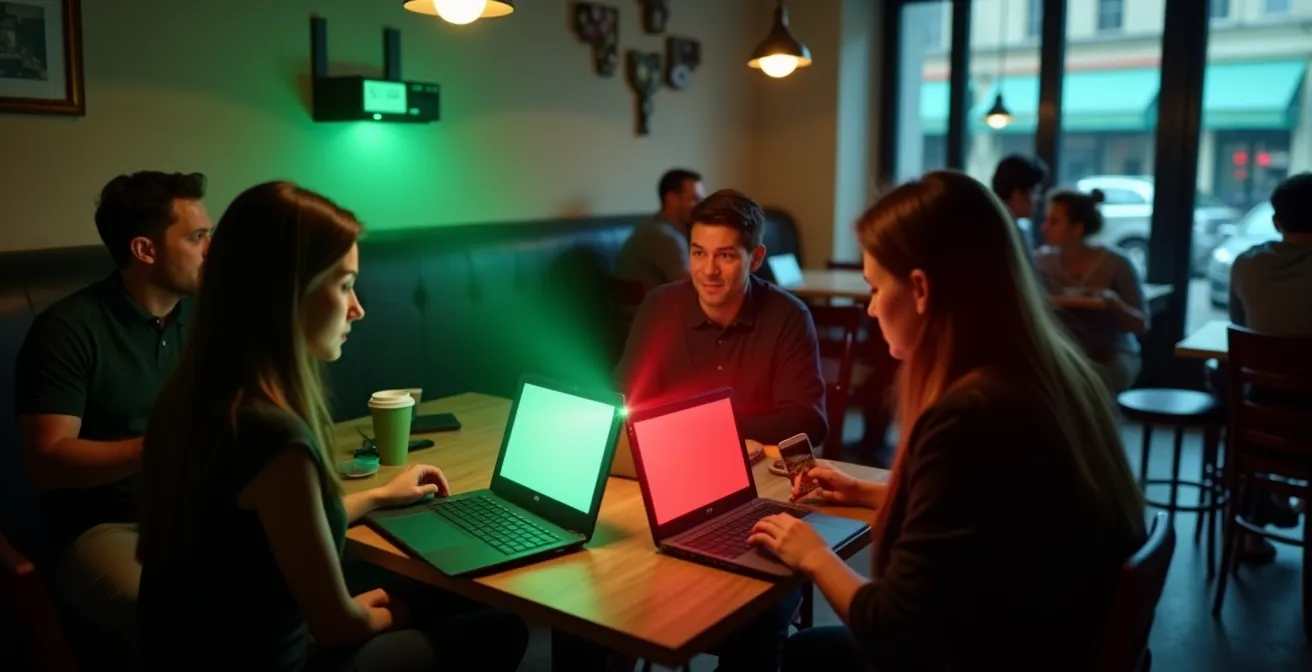
Protecting yourself requires a shift from trust to verification. You must assume that every public Wi-Fi network is hostile. Fortunately, protecting your remote access doesn’t require complex technical skills, but rather the consistent application of a few simple, powerful habits. The following checklist outlines the non-negotiable steps to secure your smart home access when you are on the move. Internalizing these actions is the only way to safely manage your home from the outside world.
Your Action Plan for Secure Remote Access
- Disable automatic Wi-Fi connection on your mobile devices to prevent them from connecting to malicious “Evil Twin” networks without your consent.
- Use your phone’s cellular data for quick commands (like unlocking a door for a guest) instead of connecting to an untrusted public network.
- Always enable your VPN *before* you connect to public Wi-Fi and open any smart home applications. This encrypts your connection from the very start.
- Never perform firmware updates or change critical device configurations while on public Wi-Fi, as these processes can expose vulnerabilities.
- Manually check and confirm that your device’s “Ask to Join Networks” setting is turned on, forcing you to approve every new Wi-Fi connection.
Key Takeaways
- Shift your mindset from securing individual devices to defending your home as a “digital fortress” with a single, guarded gateway.
- Prioritize network architecture: Use hub-based systems (Zigbee/Z-Wave) over direct Wi-Fi devices to drastically reduce your home’s attack surface.
- Protect your data’s entire journey with a router-level VPN, which encrypts traffic from all connected devices, including those that can’t run VPN software themselves.
Why Is Your Personal Data Worth Money to Advertisers?
After building your digital fortress, you might wonder: why go to all this trouble? The answer lies in understanding what you are truly protecting. Hackers may want to cause chaos, but a much larger, more organized industry wants something far more valuable: your behavioral footprint. The data collected by your smart home is not just a series of isolated data points; it’s a rich, intimate narrative of your daily life. It knows when you wake up, when you leave for work, what music you listen to, what you talk about, and even when you go to sleep.
This real-world behavioral data is the gold standard for advertisers. While your web browsing history tells them what you’re interested in, your smart home data tells them who you are. As explained in a Kaspersky analysis, smart home systems use machine learning to predict patterns and make decisions based on your habits. This creates detailed profiles that are sold to data brokers and used for hyper-targeted advertising. This information is worth a premium because it reflects actual, physical-world actions, not just online clicks. It’s the difference between knowing someone searched for “vacation spots” and knowing they are physically away from their home for two weeks.
The value of this data is precisely why attacks are on the rise. A shocking 124% increase in smart home attacks was reported in a 2024 analysis, driven largely by the lucrative business of data theft. Securing your smart home is therefore not just about preventing a malicious actor from unlocking your door. It’s a fundamental act of protecting your privacy and personal sovereignty. It’s about deciding who gets to know the story of your life.
Every security measure you’ve implemented—from choosing a Zigbee hub to using a VPN—is a step toward reclaiming ownership of your personal narrative. By controlling the flow of data from your digital fortress, you ensure that the convenience of a smart home does not come at the cost of your privacy. You are protecting your most valuable asset: the intimate details of your life.
Now that you understand the strategy behind building a digital fortress, the next logical step is to conduct an audit of your own home. Use the principles in this guide to identify your primary gateway, assess your most vulnerable devices, and start implementing these protective layers today.